Permanent Action
Deleting your account is permanent and cannot be undone. All your data will be permanently removed from our servers.
What will be deleted:
- Your profile information and personal details
- All your appointments and booking history
- Medical records and health information
- Payment history and transaction records
- All saved preferences and settings
How to delete your account:
1 Follow these steps:
- Open the Serechi App or visit www.srcarehive.com on your web browser
- Log in with your healthcare seeker account credentials
- Navigate to your Dashboard after successful authentication
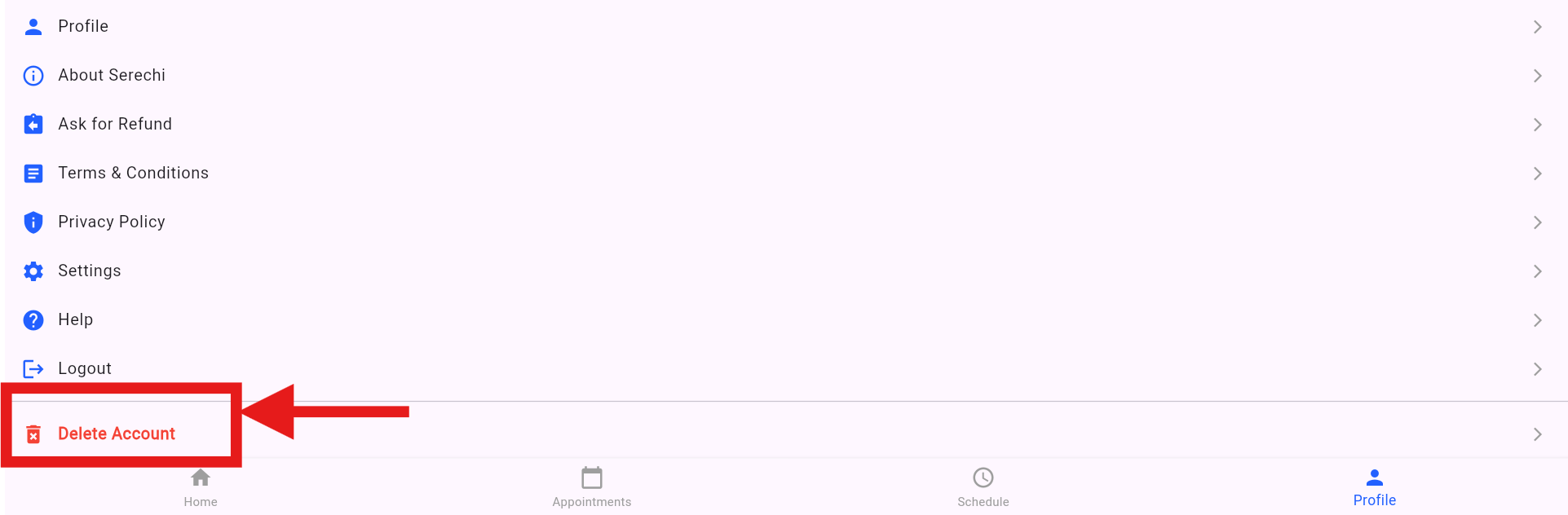
- Click on the Profile section from the menu or navigation bar
- Scroll down to find the Delete Account button (highlighted in red)
- Click the Delete Account button to initiate the deletion process
- Confirm your action when prompted - this cannot be undone